CES 2026 and Monitors: 5th-Gen QD-OLED, 360Hz Ultrawide and 720Hz OLED — What Really Changes for Gamers
CES 2026 turned “monitor upgrades” into something more practical than a specs race. The headline numbers are loud — 5th-generation QD-OLED, 360Hz ultrawide gaming screens, and even 720Hz OLED demonstrations — but the real shift for players is simpler: OLED is getting easier to live with day to day, especially if you don’t want a second screen just for text, Discord, or work. The key themes this year are cleaner subpixel layouts, smarter bandwidth choices, and a sharper understanding of when extreme refresh rates actually matter.
5th-generation QD-OLED and the return of RGB stripe
QD-OLED has always looked spectacular in motion, but it has had an unglamorous weak spot: text clarity. Many earlier QD-OLED panels used subpixel layouts that weren’t a classic RGB stripe, so thin fonts and UI elements could show coloured fringing. That issue isn’t “your eyes being picky”; it’s how subpixels are arranged and how operating systems render text. CES 2026 announcements pushed hard on this, with multiple brands talking about improved subpixel structures designed to make everyday readability match the image quality gamers already liked.
When you see “RGB stripe” or “improved subpixel structure” in 2026 monitor marketing, the practical translation is: the panel is trying to behave more like the pixel geometry that desktop rendering has been tuned for over decades. It’s not a magic switch, but it can reduce colour halos around letters, make small HUD text less tiring, and lower the need for workarounds like oversized UI scaling. For players who split time between games, browsing, guides, and chat, that’s a bigger upgrade than another minor jump in peak colour volume.
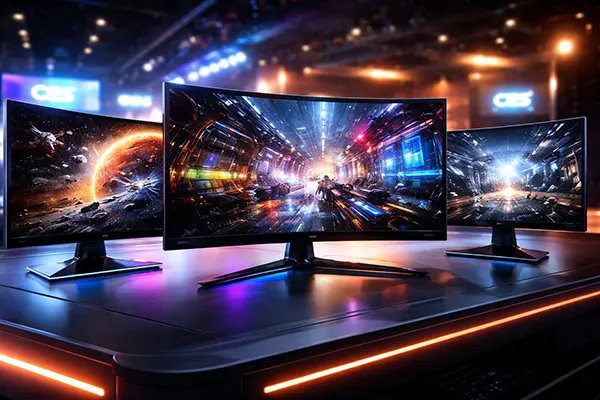
It’s also worth noting that this change isn’t limited to one badge. MSI promoted its CES 2026 5th-gen QD-OLED monitors with a 360Hz 34-inch ultrawide as the headline product, and the broader industry conversation around 2026 QD-OLED has centred on pixel structure improvements that target text fringing as much as gaming motion clarity.
What “RGB stripe” changes in everyday use
Think of each pixel as three (or more) tiny lamps. When the subpixels follow a neat RGB stripe, the operating system’s font rendering tends to align more predictably with the physical layout, so edges look cleaner. With unconventional layouts, the OS can still render text well, but the odds of coloured edges increase — especially on high-contrast text, small UI, and thin font weights. Gamers notice it in places like inventory screens, map labels, chat windows, and crosshair overlays with fine outlines.
The effect is most obvious at typical desk distances on 27–34-inch screens when you run “sharp” scaling (often 100–125%) and spend time in menus or between matches. If you’ve ever felt that a screen is stunning in a game but oddly tiring for reading, this is often part of the reason. A more standard subpixel structure doesn’t just help documents; it can make game launchers, mod tools, and competitive titles with lots of small UI elements more comfortable.
Even with a better subpixel layout, you still need sensible settings. Running the correct native resolution, avoiding extreme sharpening, and choosing font smoothing options that suit your OS can make a bigger difference than people expect. The point of RGB stripe in 2026 isn’t to “make OLED look like IPS”; it’s to remove a long-standing friction point so an OLED screen can be your only monitor without compromises.
360Hz ultrawide and 720Hz OLED: who benefits, and who pays the trade-offs
Refresh rate headlines are useful only when you tie them to a specific genre and a realistic performance target. 360Hz on an ultrawide QD-OLED is clearly aimed at competitive players who want low persistence blur and fast response without giving up OLED contrast. 720Hz OLED demonstrations, on the other hand, sit firmly in “specialist” territory: they can be meaningful for top-level competitive play and testing, but they’re not a universal upgrade for everyone.
For CS-style shooters and similar twitch titles, higher refresh rates can improve motion clarity and reduce the perception of smear during quick pans. That said, the improvement curve isn’t linear. Going from 120Hz to 240Hz is a big jump; 240Hz to 360Hz is subtler; 360Hz to 540Hz or 720Hz becomes highly dependent on your skill level, your sensitivity settings, and whether your system can actually feed stable frame times. In real matches, consistency often beats peak FPS spikes.
CES 2026 also highlighted a practical reality: extreme refresh rates frequently come with compromises. Sometimes it’s the resolution (or a dual-mode setting that drops resolution to reach a higher Hz). Sometimes it’s brightness, because driving OLED hard at very high refresh can affect how aggressively a screen manages power and heat. And sometimes the compromise is simply cost — because the bleeding edge carries early-adopter pricing.
Real-world trade-offs: resolution, brightness, price, and settings
If you play esports titles at low settings already, you’re the most likely to benefit from 360Hz+ — you can actually reach the required frame rates, and you care about motion clarity more than cinematic lighting. But even then, you should treat “720Hz” as a tool, not a trophy. Many 720Hz implementations rely on a reduced-resolution mode, and that can shift the question from “is 720Hz smoother?” to “is a lower resolution worth it for my aim, my visibility, and my comfort over long sessions?”
Brightness is another quiet trade-off. OLED HDR can look excellent, but sustained brightness and very bright full-screen scenes are still managed carefully. At extremely high refresh rates, you may see more aggressive brightness limiting in some content, depending on how the panel and monitor firmware prioritise heat and longevity. That’s not a deal-breaker, but it does mean you should judge a monitor in the content you actually play: bright maps, dark maps, long sessions, and lots of UI time.
Price and setup time matter too. A 360Hz ultrawide QD-OLED might make sense if it replaces both a gaming screen and a productivity screen, especially now that text clarity is improving. A 720Hz OLED demo is more likely to make sense for a very specific buyer: someone who already has the GPU horsepower, plays the right titles, and values marginal gains. For everyone else, the smarter play in 2026 is often “high refresh with minimal compromises” rather than “highest number available”.
AI processing in monitors, plus a buying checklist that matters in 2026
Monitor makers are increasingly adding AI-labelled processing: sharpening, contrast enhancement, motion handling, and sometimes upscaling or “clarity” modes. Some of these features can help in specific cases — for example, mild sharpening for a soft game render or a clearer outline in a darker scene — but there’s a risk: extra processing can add latency or create artefacts that actively hurt competitive play.
When a monitor advertises AI upscaling or AI image tuning, the first question is not “is it clever?” but “can I fully control it?” A feature that can’t be disabled, or that forces a processing pipeline even in game mode, is a red flag for anyone who cares about input response. The second question is whether the feature is consistent across content. AI-driven edge enhancement can make some scenes look crisp while turning fine textures, foliage, or HUD elements into shimmering outlines.
The most sensible approach in 2026 is to treat AI processing as optional seasoning. If you want it, test it in your specific game and at your typical frame rate. If you don’t want it, make sure you can disable it without losing key functions like VRR. The goal is a predictable signal path: stable frame pacing, stable latency, and no surprise post-processing that changes the image mid-match.
Before you pay: ports, VRR, HDR level, burn-in protection, and warranty
Start with bandwidth and ports, because they decide what the monitor can actually do at full refresh. Check for HDMI 2.1 if you need high bandwidth over HDMI (often relevant for consoles or certain PC setups) and verify the DisplayPort version if you’re targeting very high refresh at higher resolutions. Don’t assume a spec label means full speed — confirm the monitor supports the resolution/refresh combination you plan to run without chroma subsampling or hidden limitations.
Next, verify VRR behaviour, not just the logo. You want a VRR range that matches your real frame rates, smooth low-frame handling, and no obvious flicker in darker scenes. Then look at HDR with realistic expectations: “HDR-ready” wording is vague, while recognised HDR tiers (and independent measurements) tell you more about how highlights and shadow detail will actually look. In the real world, good HDR on OLED is as much about tone mapping quality as it is about peak brightness claims.
Finally, treat burn-in protection and warranty terms as part of the purchase price. OLED longevity has improved, but usage patterns matter: static HUDs, long sessions, and desktop time all increase risk. Check what the warranty explicitly covers, what the manufacturer considers normal use, and what built-in protections exist (pixel refresh routines, logo dimming, screen move features, proximity or idle detection). A monitor can be technically brilliant and still be a bad buy if support is vague when something goes wrong.