Handheld PCs in 2026: Power Profiles, Temperature Control and Stable 40–60 FPS Gaming
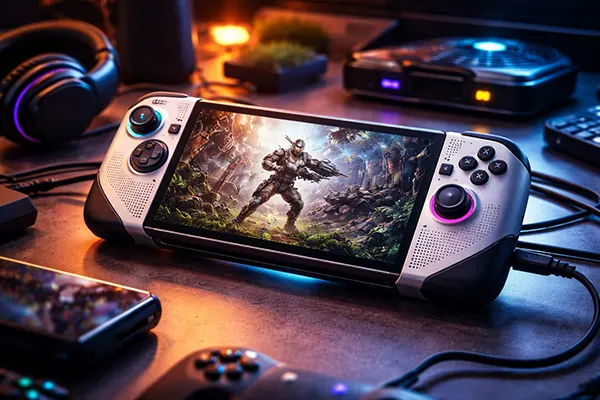
Handheld gaming computers have changed considerably over the past few years. Devices such as ASUS ROG Ally, Lenovo Legion Go and Steam Deck OLED now run modern PC games locally while remaining compact enough for travel or relaxed gaming on a sofa. However, raw performance alone does not guarantee a good experience. Without careful tuning, handheld systems can quickly overheat, drain their batteries or suffer from unstable frame delivery where the average FPS looks acceptable but gameplay feels inconsistent. Achieving stable 40–60 FPS with strong 1% low performance requires deliberate configuration of power limits, graphics settings and cooling behaviour.
Choosing the Right Power Profiles for Different Gaming Situations
Handheld PCs rely on adjustable power limits, usually measured in watts, which determine how much energy the processor and graphics cores can consume. In 2026 most devices offer quick switching between profiles such as Silent, Balanced and Turbo modes. Lower limits around 10–12W are suitable for indie titles or older games and significantly extend battery life. Balanced modes around 15–18W provide enough power for many modern games while keeping temperatures manageable.
A practical approach is to create separate profiles for common situations. During travel or commuting, battery efficiency becomes the priority. Limiting TDP to roughly 12–15W combined with a frame cap of 40 FPS keeps performance stable while preventing sudden power spikes. This approach also reduces fan noise, which matters when playing in quiet environments such as trains or waiting areas.
When gaming at home on a sofa, a moderate performance profile around 18–22W usually offers the best balance between visual quality and thermals. At this range most handheld processors maintain stable clocks without aggressive throttling. If the device is connected to a dock and external power, a higher profile around 25–30W may be used, but it is still important to monitor temperatures to avoid long-term thermal stress.
Three Practical Performance Modes: Travel, Sofa and Dock
The travel profile focuses on efficiency. A 12–15W power limit combined with a 40 FPS cap creates a consistent experience in many games while extending battery life to two or three hours depending on the title. Lowering shadow quality and ambient occlusion can further reduce GPU load without significantly affecting visual clarity on a small screen.
The sofa mode prioritises smoothness while remaining comfortable to hold. Setting the TDP between 18 and 22W allows modern handheld chips to sustain higher GPU frequencies. Pairing this with a 45–50 FPS frame cap produces fluid gameplay while keeping fan noise moderate. For many titles released between 2022 and 2025 this configuration provides an ideal balance.
Dock mode becomes relevant when the handheld is connected to an external monitor or television. With power supplied through USB-C, higher limits of 25–30W can be used safely. However, resolution often increases to 1080p or higher, so upscaling technologies such as FSR or XeSS become essential to maintain stable performance.
Frame Stability: FPS Caps, VRR and Upscaling for Strong 1% Low Performance
Average frame rate numbers can be misleading. A game running at 60 FPS on average may still feel inconsistent if frame delivery fluctuates heavily. This is why experienced players pay attention to the 1% low metric, which reflects how stable the slowest frames are. Improving this metric often produces a smoother experience than simply chasing higher peak frame rates.
One of the simplest solutions is using an FPS cap. Limiting a game to 40, 45 or 50 FPS reduces unnecessary load on the hardware and prevents sudden drops caused by heavy scenes. Many handheld devices allow system-level frame caps through their control software, ensuring consistency even in titles that lack internal limiters.
Variable Refresh Rate displays have also become more common on handheld devices by 2026. VRR synchronises the screen refresh rate with the GPU output, reducing stuttering and screen tearing. When VRR is combined with a sensible frame cap slightly below the maximum refresh rate, the result is noticeably smoother motion even when frame times fluctuate slightly.
Graphics Priorities That Improve 1% Low FPS
Some graphical settings have a disproportionate effect on frame stability. Shadows, volumetric lighting and advanced reflections can cause sudden spikes in GPU workload. Reducing these options often improves 1% low performance without drastically changing the overall visual quality of a game.
Resolution scaling and modern upscaling technologies play a major role in handheld optimisation. AMD FSR, Intel XeSS and NVIDIA DLSS allow games to render internally at a lower resolution while reconstructing a sharper image. On small screens the difference between native and upscaled resolution is often difficult to notice, but the performance improvement can be substantial.
Texture quality should usually remain high because it relies more on memory capacity than raw GPU power. Lowering textures may reduce visual clarity while offering minimal performance gains. Instead, prioritising settings that affect lighting calculations and dynamic effects provides more reliable frame delivery.
Preventing Overheating and Battery Drain During Long Sessions
Thermal management is critical for handheld PCs because their compact design limits airflow compared with desktop systems. When internal temperatures exceed safe limits, processors automatically reduce clock speeds to protect the hardware. This behaviour, known as thermal throttling, leads to sudden FPS drops and inconsistent gameplay.
Monitoring tools built into most handheld control software allow players to observe temperature, power usage and clock speeds in real time. Ideally the CPU and GPU should remain below roughly 80–85°C during extended sessions. If temperatures climb beyond this range, lowering the power limit or adjusting graphics settings often stabilises performance.
Battery life is another important consideration. High power profiles may reduce runtime to less than an hour in demanding titles. A balanced configuration that targets 40–50 FPS usually doubles battery life while maintaining stable gameplay. Carrying a compact USB-C power bank also becomes a practical solution for longer travel sessions.
Cooling Behaviour, Fan Curves and Safe Maintenance
Many handheld devices allow manual fan curve adjustments. Increasing fan speed slightly at moderate temperatures can prevent heat accumulation before it becomes problematic. While this may produce a little more noise, it helps maintain consistent performance during longer gaming sessions.
Keeping air vents clear is equally important. Dust accumulation gradually reduces cooling efficiency, especially in devices used frequently on fabric surfaces such as sofas or beds. Periodically cleaning vents with compressed air can restore airflow without opening the device.
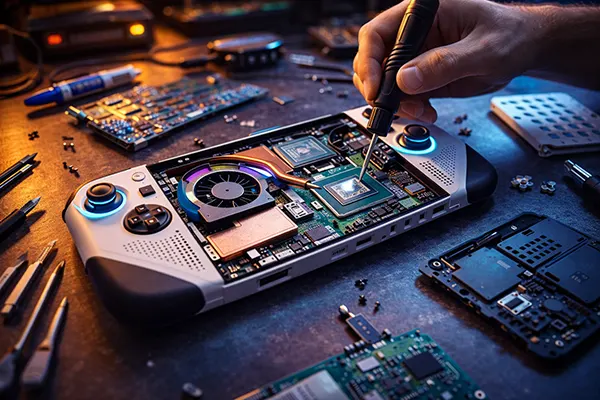
Thermal paste and thermal pads also influence heat transfer between chips and cooling components. Replacing them may improve temperatures on older devices, but this should only be done carefully and preferably by experienced users. Incorrect installation can damage internal components, so most players should focus on software optimisation and proper airflow instead.