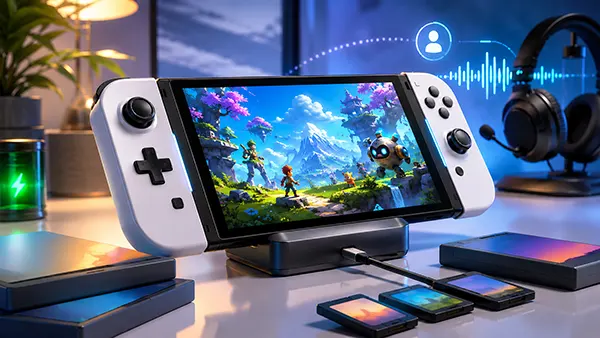
Nintendo Switch 2 One Year Later: Battery, Screen, GameChat and Switch Compatibility
Nintendo Switch 2 launched on 5 June 2025 with a clear purpose: keep the hybrid design that made the original console successful while removing many of its technical limits. A little over a year later, the most important questions are no longer about launch-day promises but about everyday use. The larger display is noticeably sharper, GameChat has become a practical part of online play, and most existing Nintendo Switch libraries carry over with limited effort. At the same time, battery endurance remains the system’s clearest compromise, the LCD panel will not satisfy everyone who prefers the deep contrast of the Switch OLED Model, and several older games still depend on original Joy-Con hardware. This assessment focuses on what owners and prospective buyers need to know in 2026, without treating specification figures as a substitute for the way the console actually fits into daily gaming.
Battery Life After a Year of Regular Use
Nintendo rates the Nintendo Switch 2 battery at approximately 2 to 6.5 hours, depending on the game and usage conditions. The standard European model has a 5,220 mAh battery, while a revised version with a user-replaceable battery is listed at 5,172 mAh. Both are designed to support a considerably more powerful processor, a 7.9-inch 1080p screen and faster wireless features, so capacity alone does not translate into long play sessions. In practice, lighter games and moderate screen brightness can move closer to the upper end of Nintendo’s estimate, while demanding 3D releases, online play and high frame-rate modes are more likely to sit near the lower half. The important point after a year is that the original estimate still defines the experience: Switch 2 is capable as a handheld, but it is not an all-day travel console without access to charging.
The comparison with later models of the first Nintendo Switch is not especially flattering. Nintendo rates the revised original Switch and the Switch OLED Model at about 4.5 to 9 hours, which gives those systems a meaningful advantage during flights, train journeys and long sessions away from a socket. Switch 2 delivers much better performance and a far sharper screen, but buyers pay for those improvements with shorter running time. This does not make the battery unusable; two to four hours is enough for many commutes and evening sessions. It does mean that anyone moving from a Switch OLED should not assume the newer console lasts longer simply because it has a larger battery. For portable-first players, battery endurance is the main area where the upgrade feels like a trade rather than a complete step forward.
Battery ageing after twelve months varies too much by owner to support one universal figure. Charging habits, heat, the number of full cycles and the types of games played all affect long-term capacity. Nintendo states that repeated charging gradually reduces usable time and advises service or replacement when a fully charged console no longer delivers reasonable endurance. In 2026, European stock is also beginning a gradual transition towards revised Nintendo products with user-replaceable batteries, although availability depends on the specific product and batch. Existing non-replaceable Switch 2 units are still supported through Nintendo’s repair service. For most first-year owners, a modest reduction is normal, but a dramatic fall well below the official range after a full charge is a troubleshooting issue rather than something that should simply be accepted.
How to Get More Useful Time Between Charges
The simplest battery improvement is to match the console settings to the game. A turn-based role-playing game or visual novel rarely benefits from maximum brightness or a 120 Hz display mode, while a fast racing or action title may justify the extra power use. Reducing brightness indoors, selecting a 60 Hz option when a higher refresh rate offers little practical value and disabling wireless connections when they are not needed can extend a session without changing the game itself. Sleep mode is useful for short breaks, but shutting the console down is more sensible when it will remain unused for several days. These adjustments will not transform the official 2-to-6.5-hour range, yet they can make the difference between finishing a journey and searching for a charger before the final stop.
Nintendo Switch 2 includes a system setting that stops charging at roughly 80 to 90 per cent. Its purpose is to reduce the loss of battery capacity over time, which makes it relevant for owners who keep the console in the dock for much of the week. The obvious drawback is shorter play time immediately after undocking, so the setting suits dock-focused households more than people who regularly leave home with the console. It can be turned off before a long trip when the full charge matters more. Nintendo may occasionally charge to 100 per cent even while the limit is active so the battery indicator can remain accurate. That behaviour is expected and does not mean the option has failed.
For travel, the included Nintendo Switch 2 AC adapter remains the most straightforward choice because it supports charging and docked operation at the required output. The older Nintendo Switch adapter can charge Switch 2 when connected directly to the console, but it cannot provide TV mode through the Switch 2 dock. A compact external battery can also be useful, provided it supports suitable USB-C power delivery and comes from a reputable manufacturer. Owners should avoid treating every USB-C charger as interchangeable, particularly while playing a demanding game. Charging can take longer when the console is in use, while Nintendo quotes roughly three hours when the system is switched off or in sleep mode. Planning around that limit is more effective than expecting a quick top-up to restore several hours of play.
The 7.9-Inch Screen in Everyday Handheld Play
The screen is one of the clearest improvements over the first Nintendo Switch. It uses a 7.9-inch wide-colour-gamut LCD panel with a resolution of 1,920 by 1,080, HDR10 support and variable refresh rate up to 120 Hz. Nintendo says the display area is 1.6 times larger than that of the standard Switch while the console body remains similarly slim. Text is easier to read, fine interface details look cleaner and games designed around 1080p output no longer need to be reduced to a 720p handheld panel. The difference is particularly visible in strategy games, role-playing games with dense menus and titles with detailed environments. After a year, this remains the feature that most consistently makes older Switch software feel fresher, even when a game has not received a dedicated Switch 2 upgrade.
The main qualification is the use of LCD rather than OLED. Nintendo Switch 2 offers higher resolution, smoother supported frame rates and a larger image than the 7-inch Switch OLED Model, but OLED still produces deeper blacks and stronger contrast in dark scenes. Players who mainly use colourful daytime games may prefer the new panel’s sharpness and size, while people who play horror titles or dark cinematic games may still notice the richer black levels of the older OLED screen. This is not a simple case of one display being better in every respect. Switch 2 is the stronger all-round screen for resolution and motion, but it does not replace the visual character of OLED. Buyers moving directly from the OLED Model should expect an upgrade in detail and speed rather than an upgrade in every aspect of picture quality.
The larger panel also changes the physical experience. With Joy-Con 2 attached, the console weighs about 534 grams on the standard non-user-replaceable-battery model, making it noticeably heavier than the original Switch family. The broad kickstand helps in tabletop mode, and the larger screen is easier to share, but long handheld sessions can place more strain on the wrists. That matters because the display encourages extended play even when the battery and weight suggest shorter sessions. A case with a comfortable grip or resting the console on a lap can help, but the basic design remains substantial. One year on, the screen is still a convincing reason to upgrade, yet the best experience depends on accepting that Switch 2 behaves more like a compact high-performance console than a lightweight portable device.
What 1080p, HDR and 120 Hz Actually Change
Full HD resolution is the most dependable benefit because it applies directly to the built-in screen. Supported games can present cleaner edges, clearer user interfaces and more legible small text than they could on the 720p display of the first Switch. However, an older game does not automatically gain new textures or a higher internal resolution simply because it runs on Switch 2. Some titles receive free updates, others have paid Nintendo Switch 2 Edition upgrade packs, and some continue to use their original settings while benefiting mainly from steadier performance. The result depends on the software. The hardware provides the sharper canvas, but developers and Nintendo still decide how much of it each game uses.
HDR and 120 Hz are also conditional features rather than permanent improvements applied to every release. HDR10 can provide a wider range between bright highlights and dark areas when the game supports it and the settings are properly configured. A frame rate of up to 120 frames per second can make movement and controls feel more immediate in compatible titles, while variable refresh rate helps reduce visible judder or tearing when performance changes. Neither feature can repair an unstable game without suitable software support. A well-made 60 fps title may look and feel better than an inconsistent 120 fps mode, and some visually ambitious games will prioritise resolution or effects instead of maximum speed.
Docked output expands the options further. Nintendo Switch 2 can output up to 4K at 60 fps, while 1080p and 1440p modes can support up to 120 fps when the game and display are compatible. This gives developers more flexibility than the first Switch offered, but the phrase “up to” matters. A game may use dynamic resolution, a lower frame rate or reconstruction methods to reach its chosen balance. In handheld mode, the built-in display remains limited to 1080p, which is appropriate for its size and helps avoid wasting power on pixels that would be difficult to see. For most owners, the practical benefit is not a constant chase for maximum figures; it is the ability to choose between sharper presentation and smoother motion in a growing number of games.
GameChat and Compatibility with the First Switch
GameChat has become one of the defining differences between Nintendo Switch 2 and its predecessor. The console includes a built-in microphone with noise cancellation, echo cancellation and automatic gain control, while the C Button on the right Joy-Con 2 opens chat controls without leaving the game. Voice sessions support up to 12 participants. Up to four people can share their game screens or appear in video chat at the same time, although video requires a compatible USB-C camera sold separately. The system is designed for groups whose members may be playing different games, so it works as a social room rather than only as voice support tied to one multiplayer title. That makes it more flexible than the phone-based voice arrangements associated with much of the first Switch era.
The cost conditions changed after the launch year. The free GameChat open-access period ran from 5 June 2025 until 31 March 2026. Since 1 April 2026, a paid Nintendo Switch Online membership has been required, along with a Nintendo Account, a persistent internet connection and mobile phone number registration. This change is important for households that treated GameChat as a free system feature during the first ten months. The basic Nintendo Switch Online membership is sufficient; the Expansion Pack is not required solely for GameChat. Families should also review parental controls, as child accounts need approval and parents can restrict video chat or approve the friends with whom a child may communicate.
In everyday use, GameChat is most valuable when it removes the need for a separate phone, headset or third-party voice application. The built-in microphone allows conversation in handheld, tabletop and TV modes, and the automatic filtering is intended to reduce game audio and room noise. A headset can still be preferable in a busy home or late at night, while screen sharing and video naturally place greater demands on the internet connection. GameChat does not replace every specialist communication service, but it solves a long-standing Nintendo weakness by making voice chat part of the console itself. After a year, its main limitation is no longer access to the feature; it is whether each player considers a Nintendo Switch Online subscription worthwhile for their wider gaming habits.
What Transfers Cleanly and What Still Needs Checking
Nintendo Switch 2 can run compatible physical and digital Nintendo Switch games, and its card slot accepts game cards from both generations. Nintendo Accounts, eShop funds, eligible downloadable software, save data and existing Nintendo Switch Online memberships can also move to or work with the newer console. Many games run much as they did before, while selected titles receive free updates that improve resolution, frame rate or add features such as GameShare. Other releases use paid Nintendo Switch 2 Edition upgrades. The Legend of Zelda: Breath of the Wild and Tears of the Kingdom gained higher-resolution performance and HDR support through their Switch 2 Editions, while later upgrades have added new content or controls to games such as Kirby and the Forgotten Land, Animal Crossing: New Horizons and Metroid Prime 4: Beyond.
Compatibility is broad, but Nintendo does not describe it as universal. Every game should be checked in the official compatibility search before purchase or transfer, especially if it relies on unusual controller functions. Ring Fit Adventure needs original Nintendo Switch Joy-Con because Joy-Con 2 cannot attach to the Ring-Con. The IR Motion Camera is absent from Joy-Con 2, so certain features in 1-2-Switch, Game Builder Garage, Dr Kawashima’s Brain Training and WarioWare: Move It! require an original right Joy-Con. The Football Shoot-Out mode in Nintendo Switch Sports also needs an original Joy-Con because Joy-Con 2 does not fit the leg strap. These are specific hardware restrictions rather than evidence that the wider game library is unreliable.
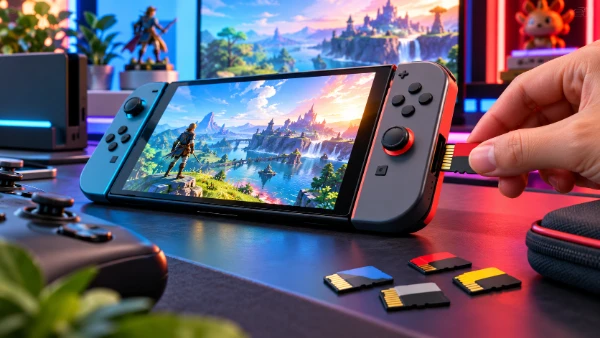
Older accessories require the same careful approach. Original Joy-Con can pair wirelessly with Nintendo Switch 2, but they cannot attach to the new console and cannot be charged by sliding them onto it. Owners need an original Switch or a compatible charging accessory. The original Nintendo Switch Pro Controller remains usable, while the first Switch dock is not compatible with Switch 2. Standard microSD cards cannot store and run Switch 2 games; game storage requires microSD Express, although older cards can still be used to import or view screenshots and videos from the first console. The practical verdict after a year is positive: most players can bring a substantial library forward, but motion accessories, IR-based games, charging arrangements and storage cards should be checked before the original hardware is sold or given away.